
Response Formats
Looking Glass answers in HTML by default, for reading in a browser, and in JSON for scripts and tests. The format is picked by its own header, so it never collides with the request's Accept.
At a Glance
- Looking Glass running (see Getting Started).
- The
X-Glass-Formatheader, or theformatquery parameter.
Pick a Format
# HTML (default)
curl 'localhost:8080/api/users?page=2'

# JSON
curl 'localhost:8080/api/users?page=2' -H 'X-Glass-Format: json'
In a browser, where you can't set headers, add format=json to the URL:
http://localhost:8080/api/users?page=2&format=json- Header first:
X-Glass-Formatwins overformatwhen both are set. - Anything but
jsonis HTML: the value is case-insensitive (JSONworks), and an unknown value falls back to HTML. - The parameter is reflected:
formatshows up in the reflected query, like any other parameter.
The HTML View
The HTML view shows the request line, the time, the client address and the host, then the query and the headers as tables, and the body. Empty sections are left out. The page title is the method and path, so browser tabs tell requests apart.
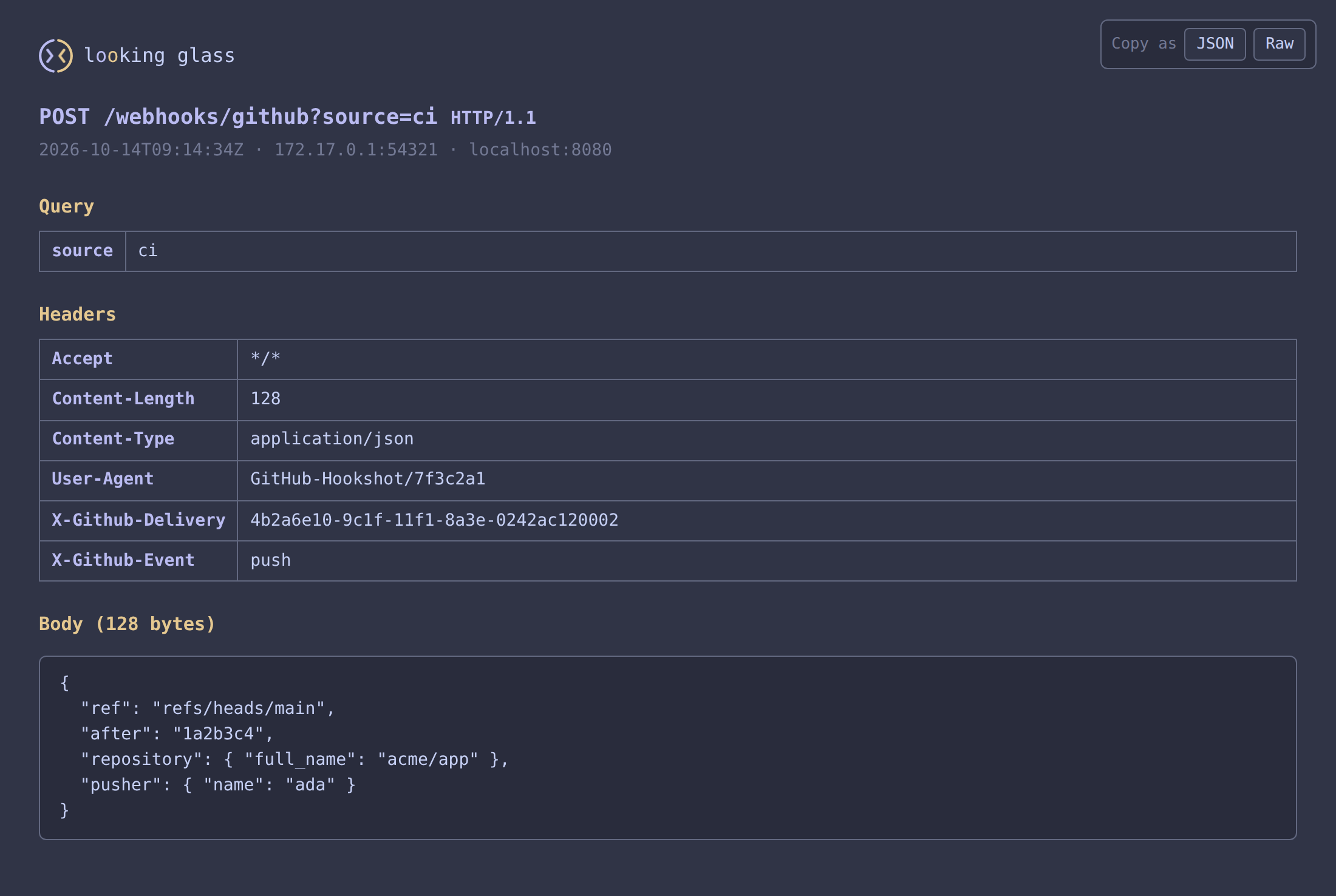
Copy As
The Copy as control in the corner copies the request to your clipboard:
- JSON: the same document the JSON format returns.
- Raw: an HTTP dump of the request line, the headers and the body.
💡 TIP
Browsers only allow clipboard access on https pages and on localhost. Behind plain http on another host, the buttons don't copy.
Bodies
Request bodies are reflected up to 1 MiB by default (see Configuration). Past the limit, the body is cut off: the JSON's truncated is true, and the HTML view marks the body as truncated.
Safe to Open
Every reflected value is escaped in the HTML view, so a request carrying HTML or script can't run in your browser.
Next Steps
- JSON Response: every field of the JSON format.
- Activity Log: the one-line record of each request.